About Sentinel Bridge — Australian Integration Software Built for Real Sites.
Sentinel Bridge is a Windows integration service built in Australia. It runs as a Windows service on your own hardware and bridges legacy building, security, clinical and industrial systems to modern alerts and reporting — without replacing working equipment.
The problem we solve
Panels that won't talk. Systems that were never meant to connect.
Building and clinical sites accumulate systems over decades. The nurse call panel from 2008, the fire system from 2015, the access controller the manufacturer no longer supports — all still running, all still doing their job. None of them will route events to a Teams channel or Power BI dashboard without something in between.
The usual options are not good. Rip out working hardware for a capital upgrade that takes months. Write a one-off script that runs fine on day one and fails silently six months later. Reach for a cloud iPaaS that was never designed to speak raw serial, TAP paging or industrial protocols. None of those solve the problem for a system integrator on a live job — or for a facilities team that needs a lasting answer.
Sentinel Bridge sits between the hardware you have and the monitoring or reporting you need. It is configured, not coded. It runs on-premises on a standard Windows box. It keeps running whether or not the internet is up. When the site grows or the hardware changes, you adjust the config without starting over.
What we build
A configurable pipeline for moving events from any source to any destination
The Sentinel Bridge engine runs as a .NET 8 Windows service with an HTTPS management dashboard. You build pipelines — source, filter, transform, route, capture — and every event is traceable through each stage.
Source — connect the hardware you already
Serial panels, TCP and UDP feeds, nurse call, fire and access control systems, HL7 MLLP, MQTT, database queries, file watches and webhooks. If a device sends data, there is an adapter for it. Premium protocols — Sedco, ASM, Tecom C4, Gallagher, Hanwha and others — are add-ons on Connect, Standard

Filter — move only the events that
AND/OR logic across any event field. A fire-door prop at 3 am escalates; a routine card swipe does not fill the overnight report. Filters run before routing, so destinations only receive what they are supposed to act on.

Transform — translate proprietary formats
Protocol decoders and regex IO modifiers reshape what a Tecom, Sedco or fire panel sends into the format your annunciator, pager or reporting system expects. No custom code on your side; no dependency on the source system's vendor API.
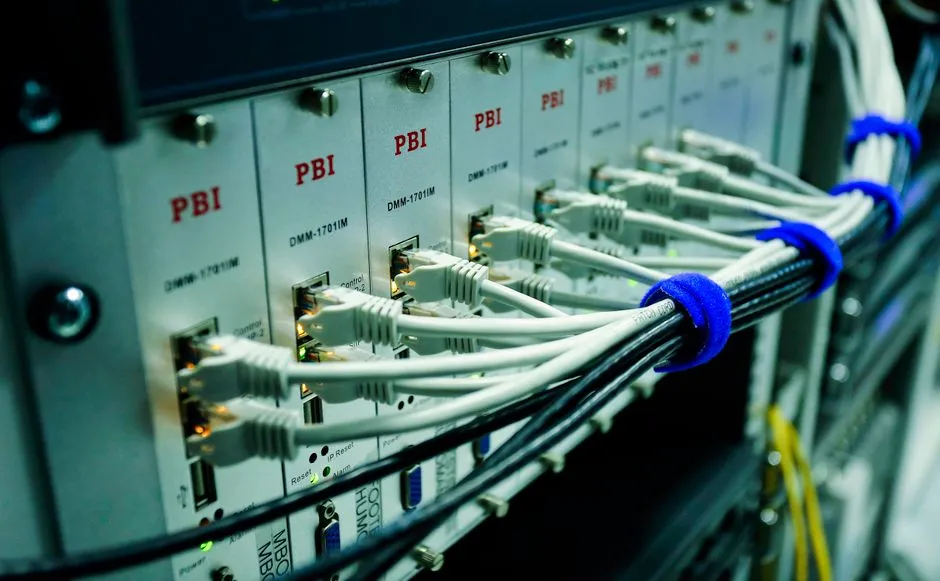
Route — deliver to every destination
Annunciator, TAP pager, phone TTS, email, Teams, Slack, Power BI, Azure, database, API or the Contacts address book. One event can fan out to many destinations on a single pipeline. Spare destination slots do not unlock premium protocols — those are explicit add-ons.
Capture and report — every event on
Normalised event store. Granular reports in PDF, CSV or XLSX. Scheduled delivery. Live alerts with deduplication and digest. Prove response times without touching source systems — relevant for aged-care compliance and post-incident review.
Browse the connector catalogue
By the numbers
Specific capabilities, not general claims
- Serial, TCP, UDP, MQTT, HL7, nurse
- 14+
- Standard tier and above: time from
- <2 s
- Source, filter, transform, route, capture. Every
- 5
- Connect, Standard, Professional, Enterprise. From $600/year.
- 4
Who we build it for
How different teams put Sentinel Bridge to work
Sentinel Bridge serves two primary use cases: trades and system integrators who need a billable, supportable solution they can commission on a client site today; and end-site operations teams building a lasting on-premises bridge without a capital rip-and-replace. Both use the same product — the
System integrators & trades
You are on a client site. The nurse call panel, fire system or access controller is running, but it will not route to the annunciator, pager or Teams channel the client needs. The client is paying. You need a solution you can commission today and leave running. Install the Sentinel Bridge Windows service on the site PC. Apply a machine-bound licence — Connect from $600/year, or a $1,800 perpetual licence for a one-time project handover. Configure a source matching the panel's serial or TCP output. Add a filter for the event types that matter. Route to the destination: TAP pager, phone TTS, Teams, email or annunciator via TCP. Test it. Walk away with a running, supportable Windows service — not a one-off script you will be called back to fix. The licence is billable to the client. Prices are on the pricing page so you can quote without waiting on us. If the panel uses a premium protocol — Sedco, ASM, Tecom C4 — add the connector add-on for that protocol on top of the base tier. If you want to confirm the feed will work before you buy, contact us and send a data capture from site.
Hospitals & aged care
You need nurse call events reaching the right handsets and staff phones — with a response-time report the compliance team can rely on — without touching certified hardware that is already running. Connect Sentinel Bridge to the Sedco or ASM nurse call panel via serial or TCP. The nurse call connector is a premium add-on on Connect, Standard and Professional tiers; it is included on Enterprise. Set filter rules so overnight calls escalate after the threshold you define. Route to the Contacts address book for on-call staff, to phone TTS for immediate voice alerts, and to email for shift supervisors. Schedule a daily PDF report from the normalised event store. Your hardware stays in place. Your audit trail starts from the day you commission the bridge. For sites with HL7 context from a patient management system, that is an additional premium connector on the same pipeline. The Reporting and Alerts module — a separate add-on on any tier — delivers failure notifications if a source goes quiet.
Security & facilities managers
Your access control, fire panel and building management system are all logging events. None of them are correlated. When an incident happens, you are pulling separate logs from three different applications. Sentinel Bridge connects each system as a separate pipeline — Tecom C4 via the C4 connector, fire panel via serial, BMS via Modbus or MQTT — filters each to the events worth acting on, and routes alerts to the right screens, email groups or Slack channels. Every event lands in the normalised capture store, searchable by time, source and event type, and exportable as PDF, CSV or XLSX on demand or to a schedule. For access control, the Tecom C4 connector offloads the event log without disrupting the existing C4 workstation setup. For fire, a serial pipeline normalises proprietary alarm strings into a format any reporting tool can use. Add the Reporting and Alerts module to schedule delivery and receive failure notifications if a source stops sending.
For integrators — commissioning
Common questions
What buyers ask before they commit
Straight answers for integrators and end-site teams evaluating this Windows integration service for Australian building, clinical and industrial sites.
Frequently Asked Questions
- Will it work with our existing panels and equipment?
- Sentinel Bridge handles 14+ input types — raw serial, TCP, UDP, MQTT, HL7, nurse call, fire, access control, database, file and webhook feeds. Protocol decoders and regex IO modifiers translate proprietary formats. If you have a data capture or sample feed from site, send it through when you contact us and we will confirm which adapter applies.
- Can we buy a licence and commission it on a live job today?
- Yes. Prices are on the pricing page — perpetual, monthly and annual terms are all available. Install the Windows service on the client's box, apply the machine-bound licence, configure the pipeline and leave it running. Connect starts at $1,800 perpetual for a one-time project handover. No procurement wait, no custom coding project.
- Does any data leave our site?
- Nothing leaves the site unless you deliberately route an event to an external destination — Power BI, Azure, an external API. The Windows service and HTTPS dashboard run on your hardware. Credentials and configuration stay local. If your site operates fully air-gapped, the engine runs offline with no dependency on Sentinel Bridge infrastructure.
- What happens when a connected device drops or goes offline?
- Each pipeline uses retries, circuit breakers and a dead-letter queue. One offline source does not affect other pipelines on the same installation. When the device comes back, queued events are retried according to the policy you set. The HTTPS dashboard shows the status of every source and destination so you can see exactly what has failed and what has recovered.
- How is the licence structured?
- Licences are machine-bound per site. You select a tier — Connect, Standard, Professional or Enterprise — by the number of pipelines and destinations per pipeline you need. Premium protocol connectors (Sedco, ASM, HL7, Tecom C4, Gallagher, TAP, Modbus and others) are add-ons on all tiers except Enterprise, which includes the full connector catalogue. Annual, monthly and perpetual terms are all available. The full breakdown is on the pricing page.
- Who built Sentinel Bridge and where is support based?
- Sentinel Bridge is a product of PineSeed Pty Ltd (ABN 15 617 533 767), an Australian software company. As an on-premises Windows integration service running on Australian building and clinical sites, all development, maintenance and support is handled in business hours, Australian Eastern time. Use the contact page to reach us — we respond in business hours.
Prices are on the page. No quote required to start.
If you know what you need to connect, the pricing page has the tiers, add-ons and all three payment terms laid out. If you want to walk through a specific site setup before you commit, book 15 minutes — send a description of the feed