Bridge the Old to the New — Without Ripping Anything Out
Sentinel Bridge is on-premises building integration middleware. Connect nurse call, fire, access, paging, cameras and databases to phones, screens, Teams and Power BI — with reporting and alerts — running on your own Windows infrastructure.

Building integration middleware — how
One Pipeline Engine. Every Building System.
Sentinel Bridge runs a Source → Filter → Transform → Route → Capture pipeline for every integration you configure. Each stage is set up in the HTTPS dashboard — no code, no vendor dependency, hot reload so changes take effect without restarting the service.
Bridge, Don't Replace
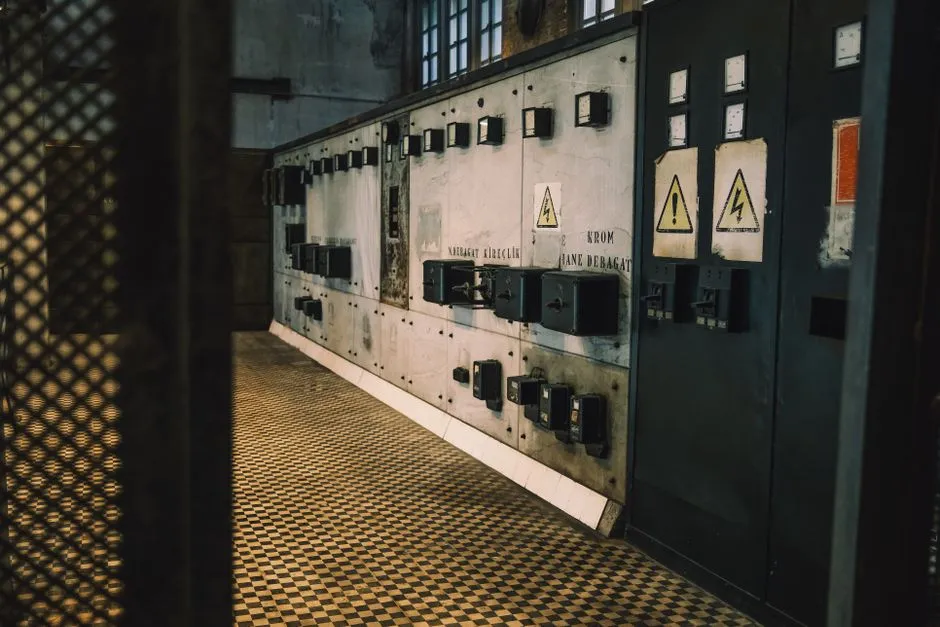
Your working hardware stays in place. Sentinel Bridge reads what your panel emits — raw serial, TCP, proprietary text strings — decodes it using protocol adapters and regex IO modifiers, and hands a clean event to the next device in the language it expects. Deploy in a shift, not a
See Everything
Every event that moves through the pipeline lands in a normalised store. Search it, filter it, and export it as PDF, CSV, or XLSX. Schedule a report to arrive in someone's inbox each morning without anyone logging in. Prove response times. Prove alarm delivery. Do all of it without touching

Get the Job Done
You build pipelines in the HTTPS dashboard: select a source, write AND/OR filter rules across any event field, apply a transform if the destination speaks a different format, then pick one or more destinations. Configured, not coded. When commissioning is done, you leave a supported Windows Service on the client's
Run on Your Infrastructure
Sentinel Bridge is a self-contained .NET Windows Service — no cloud subscription, no external dependency by default. Install on the client's existing Windows box or a small dedicated site PC. Hot reload pushes config changes without a service restart. Retries, circuit breakers, and dead-letter queues mean one unreliable source device
On-premises · HTTPS dashboard ·
Real Numbers. Real Deployment.
- Standard tier and above. Events move
- Under 2 sec
- Serial, TCP, UDP, file, MQTT, webhook
- 14+
- Connect tier. One pipeline, two destinations.
- $600/yr
- Connect, Standard, Professional, and Enterprise. Add
- 4
Who uses Sentinel Bridge
How Teams Put It to Work
The same pipeline engine serves every buyer. Pick the role that fits your job.
Integrators & Trades
You are on a live job. The client's panel is running but nothing is alerting the right people. You need a bridge today, not a six-week software project. Install Sentinel Bridge as a Windows Service on the client's PC. Connect the source — serial, TCP, or a proprietary panel protocol with the right add-on connector. Set filter rules so only the events you care about move. Transform the output into what the destination expects. Route to an annunciator, pager, Teams channel, or email. Walk away with a running site and invoice the licence to the job. Connect starts at $600 a year. Perpetual licences are available for project work — the client buys it once and keeps the box. Prices are on the page so you can quote before you call us.
Hospital & Aged Care
Nurse call systems — Sedco, ASM, Austco, Tacera — emit events that need to reach the right staff, on the right device, every time. Sentinel Bridge reads the nurse call feed with a Sedco or ASM premium connector, filters by zone or call type, and routes to phone TTS, Teams, an annunciator, or a pager simultaneously. Every event lands in the audit store. Schedule a response-time report to the nurse unit manager each morning. Prove compliance without touching the source system. Optional HL7 context lets you pull patient record fields into the routing logic where your infrastructure supports it. All of this runs on your own Windows Server. Nothing leaves the site by default.
Facilities & BMS
Modbus devices, Moxa NPort adapters, MQTT brokers, and facility databases produce data that should reach a Power BI dashboard, a Teams alert, or an on-call engineer's phone — but usually doesn't, because nobody built the bridge. Sentinel Bridge connects Modbus sources via the Modbus premium connector, MQTT brokers on any tier, and SQL databases as both source and destination. Filter for threshold breaches or specific device IDs. Route to Power BI streaming datasets, SMTP alert emails, or a Slack channel. Capture every event for trend reporting. Multiple independent integrations — air handling, power metering, access control — run as separate concurrent pipelines without interfering with each other.
Security & Access
Tecom C4 panels log every door event to a proprietary output that most downstream systems cannot read. The Tecom C4 premium connector picks up that stream, transforms it into normalised events, and routes them to a database, a report, or a screen in the security control room. Fire panel serial feeds work the same way — raw ASCII decoded, then routed to whichever downstream system needs it. Every event goes into the audit store so you can produce a who/where/when report without asking the panel vendor for access. For access control and fire life-safety sites, the Professional tier gives you 10 concurrent pipelines and a full audit trail of every event and where it landed.
Common questions
Answered Before You Ask
Frequently Asked Questions
- Will Sentinel Bridge work with our old panels?
- Sentinel Bridge handles 14 or more input types including raw serial and TCP, plus protocol decoders and regex IO modifiers that reshape proprietary output. Most panels that emit any kind of serial, TCP, or UDP stream can be connected. Book a demo and send us a sample capture from site — we will confirm on the call which tier and connector you need.
- Can we buy a licence today and commission it on this job?
- Yes. Prices are on /pricing. Perpetual and monthly licences are available for project work — useful when the job finishes and the client keeps the box. Buy the licence, install the Windows Service, connect your panel, route to your destination. You do not need to wait on a quote from us.
- Is our building event data safe with an on-premises install?
- Sentinel Bridge is a Windows Service with an HTTPS dashboard and local secrets stored on the host machine. Event data is written to the local store. Nothing leaves the site unless you build a pipeline that explicitly routes to an external destination. There is no Sentinel Bridge cloud receiving your building data by default.
- What happens to the pipeline if a source device goes offline?
- The pipeline retries the connection on a configurable schedule. Circuit breakers prevent retries from flooding a recovering device. Events that cannot be delivered at that moment go to a dead-letter queue — nothing is silently dropped. One failed source does not affect your other running pipelines.
Stop Waiting. Bridge It Today.
Connect your panels, route your alerts, and prove your response times — running on your own infrastructure. Annual licences from $600. Monthly and perpetual options available. No procurement theatre.